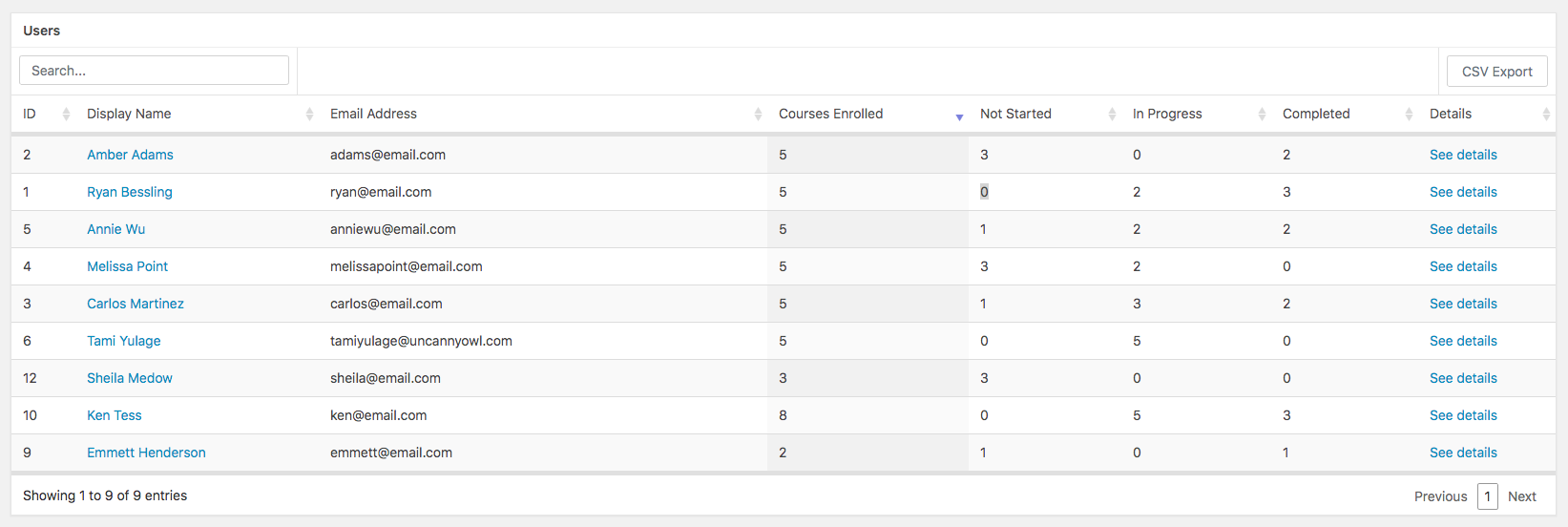
The User Report lets you monitor the progress that your learners make in courses they are enrolled in.
When the User Report first loads, it shows you a list of all users in the system*. You can search for a particular individual by his/her name or email address. You can also sort the list by a column heading (for example, the Display Name as in the image shown).
* Group Leaders will see consolidated user data of their assigned groups. If a Group Leader is assigned to multiple groups, they will see all data together in the User Report.
Drill-Down User Report
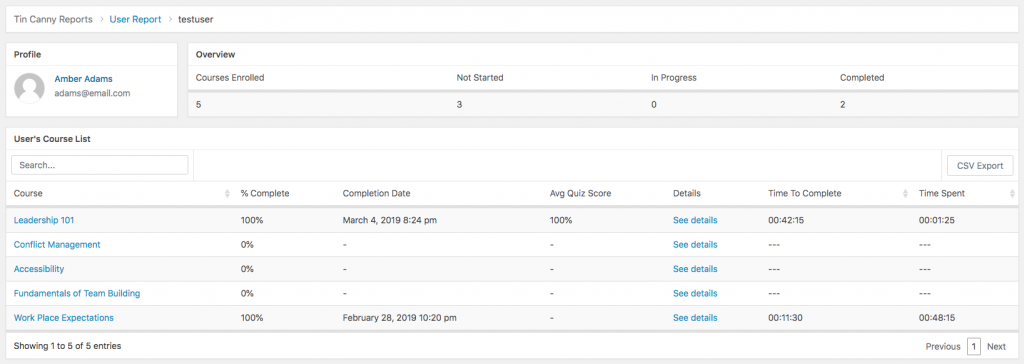
Clicking on the name or email address of a user will take you to a list of courses that the user is enrolled in as well as their overall progress in those courses.
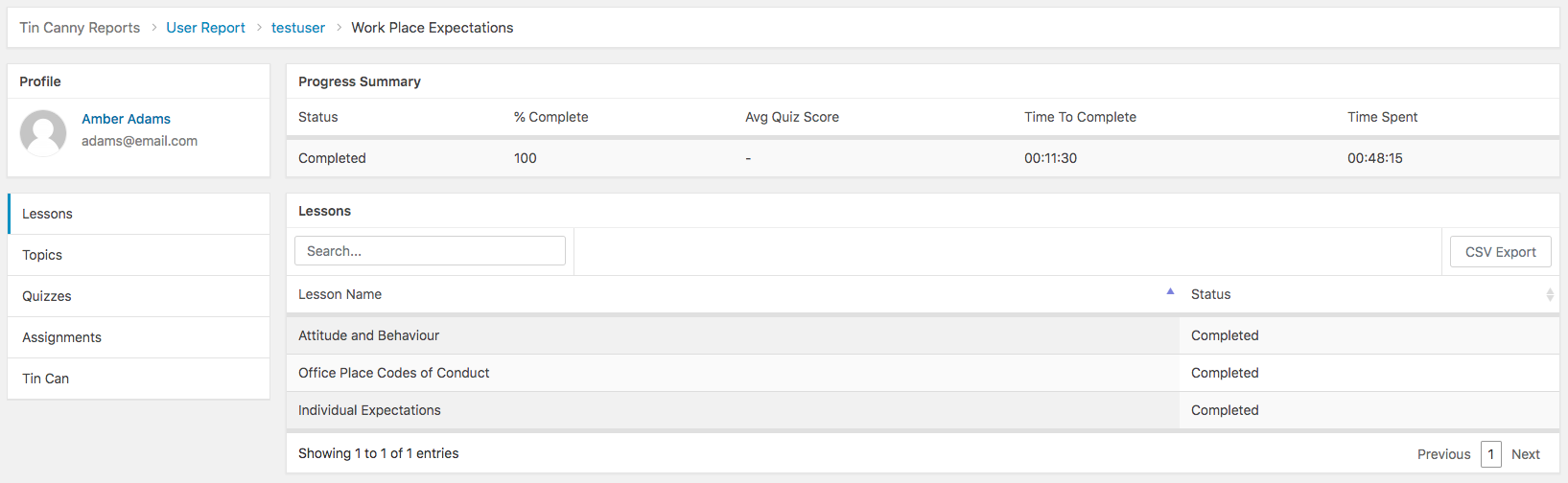
You can click anywhere in a row in the course list table to see the user’s progress in that particular course, including their overall performance and detailed activities of lessons, topics, quizzes, assignments, and Tin Can.