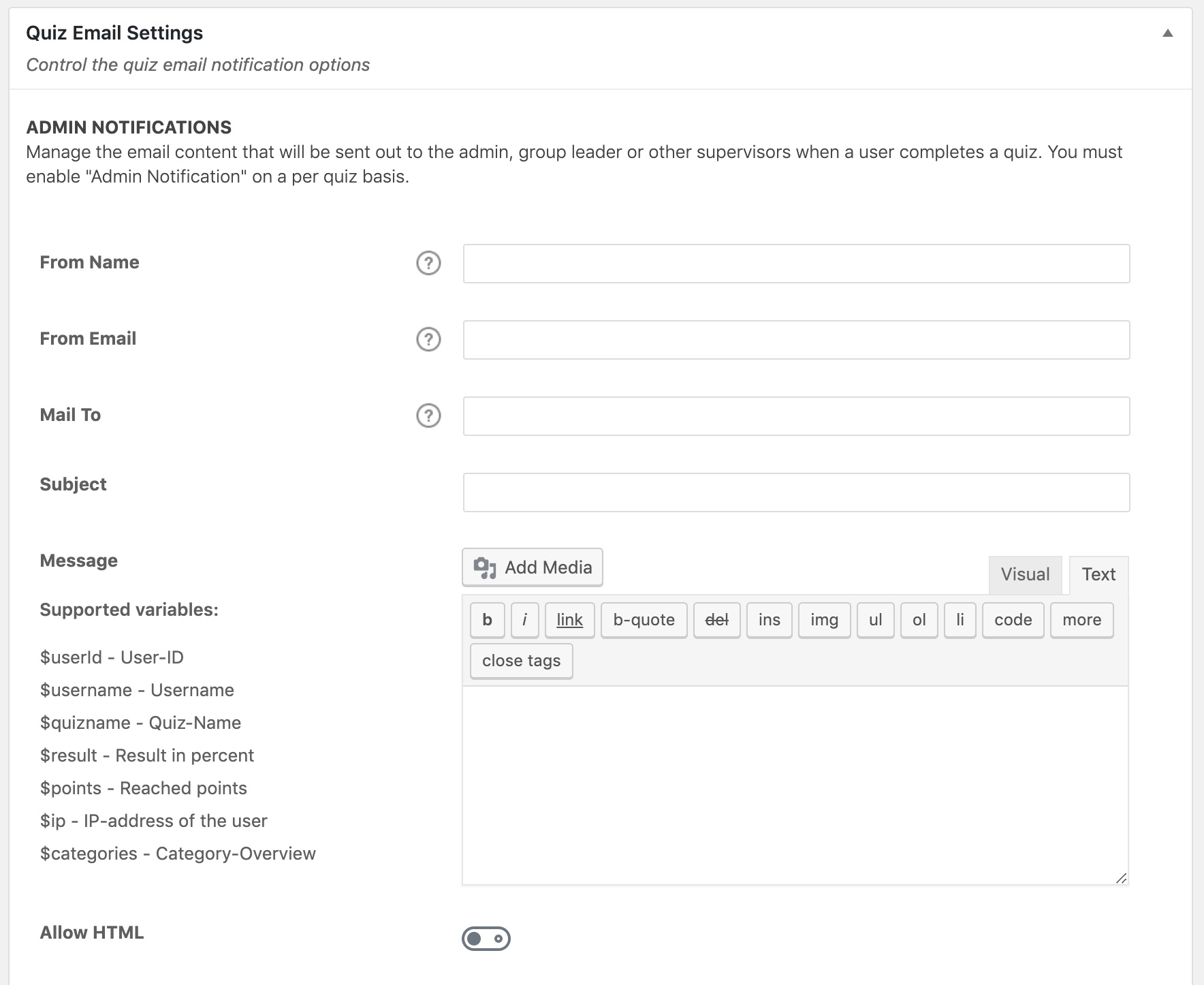
The SPOTI LMS quiz settings screen is where you can set some global options that will apply to all quizzes on your site. Quiz settings are organized into a few sections, outlined below.
To access your global quiz settings:
- Navigate to SPOTI LMS > QUIZZES
- Click the Settings tab
Content
Global Quiz Management & Display Settings
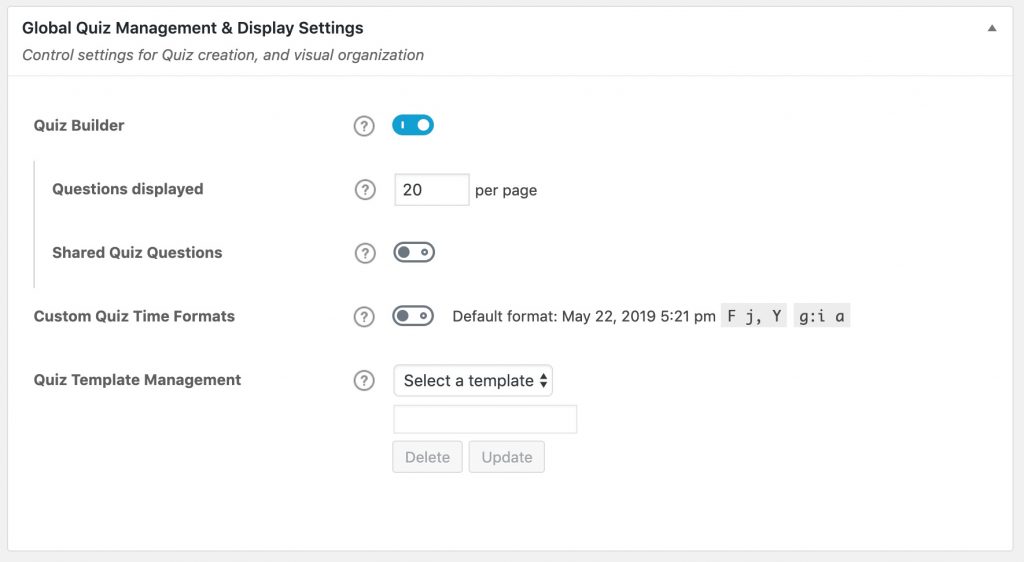
Quiz Builder
The quiz builder is enabled by default. It simplifies quiz creation and can save you a ton of time, especially for more complex quizzes with many questions.
It can be disabled, but we recommend leaving it enabled.
When the quiz builder is enabled, you have a few additional options:
- Questions Displayed: This signifies the number of questions that will appear in the quiz builder, before showing pagination at the bottom. For large quizzes, decreasing this number could make your quizzes easier to manage with the builder.
- Shared Quiz Questions: Enable this setting if you want to use the same question across multiple quizzes.
WARNING
Once shared quiz questions is enabled, it should not be disabled without careful consideration. Any question associated to multiple quizzes will lose its association if the setting is disabled.
Quiz Template Management
If you are using quiz templates, this section allows you to delete a quiz template, or update an existing template’s title.
- Choose the quiz template from the dropdown menu
- (Optional) Edit the template title
- Click Update to update the title, or Delete to delete that template
Quiz Email Settings